
Courier dispatch notifications are automated alerts that inform customers and internal teams about shipment status changes in real time. Businesses that set up courier dispatch notifications correctly can reduce inbound enquiries by 35–55%, freeing customer service staff to handle exceptions rather than routine status calls. The industry term for this practice is "proactive shipment notification," and it sits at the intersection of transport management systems (TMS), carrier APIs, and customer communication channels. Whether you run a retail operation, a medical supply chain, or a construction logistics firm, a well-configured notification system is the difference between reactive firefighting and controlled, professional delivery management.
How to set up courier dispatch notifications: tools and prerequisites
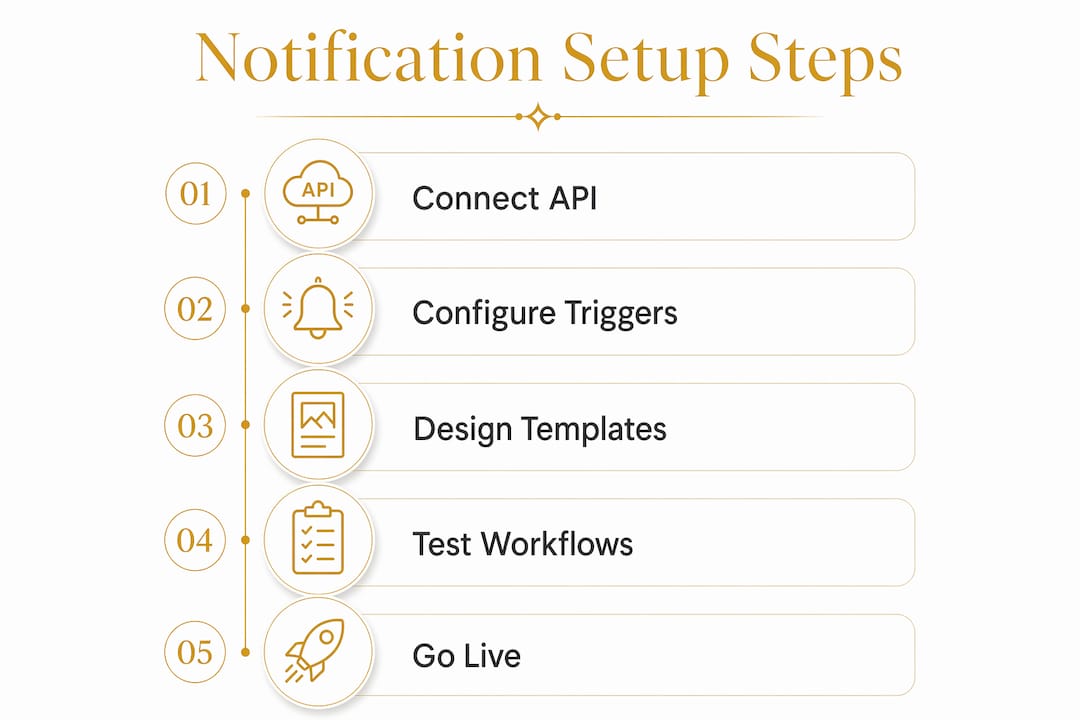
The right tools determine whether your notification system works reliably or breaks under volume. Before writing a single message template, you need three things in place: carrier API access, a notification delivery service, and a customer communication channel.
What you need before you start:
- Carrier API credentials. Every major carrier provides an API key that authenticates your system's requests. Without this, your platform cannot pull shipment status data.
- Webhook endpoints. A webhook is a URL your system exposes so the carrier can push status updates to you automatically. Many platforms require manual webhook registration inside the carrier portal. An API key alone does not activate status sync.
- A TMS or dispatch platform. Transport management systems connect your order data to carrier feeds. Entry-level field apps handle basic status polling; enterprise platforms support multi-carrier feeds, exception routing, and CRM integration.
- A notification delivery service. This is the layer that sends SMS, email, or push alerts to your customers. Common choices include dedicated messaging APIs or built-in TMS notification modules.
- Customer contact data. Phone numbers and email addresses must be collected at the point of booking, with opt-in consent recorded for compliance purposes.
Standard automated logistics workflows poll carrier APIs every 30 minutes to check for status changes. That interval balances API rate limits against the need for timely alerts. Some providers offer free trials with 20 notifications per day, which is sufficient for testing a basic dispatch alert setup before committing to a paid tier.
| Tool category | Function | Example type |
|---|---|---|
| Carrier API | Pulls shipment status from the carrier | REST API with JSON responses |
| Webhook receiver | Receives pushed status events | Custom endpoint or TMS module |
| Notification service | Sends SMS and email alerts | Messaging API or TMS built-in |
| CRM or helpdesk | Logs exceptions and customer contacts | Customer service platform |
| Route planner | Provides ETA data for accurate alerts | Integrated dispatch software |

For businesses using types of courier tracking solutions, the choice of tracking layer directly affects how granular your notifications can be.
How do you configure notification triggers and message templates?
Triggers are the engine of any courier notification system. A trigger fires when a shipment reaches a defined milestone, and the system then sends the corresponding message. Getting triggers right prevents both under-communication and notification fatigue.
The six milestones every system should cover:
- Dispatched. Sent when the courier collects the parcel. This is the first customer-facing alert and sets expectations for delivery timing.
- In transit. Sent when the shipment moves between hubs or enters a new delivery zone. Useful for long-distance or multi-leg consignments.
- Out for delivery. Sent on the morning of the delivery day. This alert has the highest open rate of any shipment notification because customers act on it immediately.
- Delivered. Sent with a timestamp and, where available, a proof-of-delivery reference. This closes the communication loop.
- Delay detected. Triggered when the ETA shifts significantly. Delay detection logic fires when ETA moves by more than 4 hours or when status is unchanged for 24 hours. This threshold prevents unnecessary alerts for minor schedule variations.
- Exception or failed delivery. Sent when a delivery attempt fails or a customs hold occurs. This alert must reach both the customer and the internal dispatcher simultaneously.
Writing effective message templates
Keep every customer-facing message short and specific. SMS notifications work best under 160 characters and must include a live tracking link that requires no app download or account login. A customer who has to create an account to check their parcel will not bother.
A strong SMS template reads: "Your order [REF] is out for delivery today. Track here: [LINK]. Reply HELP for support." That is 78 characters. It is direct, branded, and frictionless.
Email templates allow more detail. Include the order reference, estimated delivery window, carrier name, and a prominent tracking button. Branding all outgoing notifications with your company identity builds customer trust and reinforces your professionalism. A generic notification from an unknown sender erodes confidence; a branded one from a name the customer recognises does the opposite.
Pro Tip: Set your delay detection threshold conservatively at first. A 4-hour ETA shift is meaningful; a 20-minute variation is noise. Calibrate thresholds after your first month of live data.
How do you integrate dispatch notifications into operational workflows?
Configuring triggers and templates is only half the job. The other half is routing the right alerts to the right people inside your business. A customer notification that fires correctly but triggers no internal action is a missed opportunity to resolve problems before they escalate.
Steps to connect your notification system to internal workflows:
- Register webhooks in each carrier portal manually. As noted, manual webhook registration is required in most carrier systems. Log into each carrier's developer or settings portal and enter your webhook endpoint URL. Test the connection by triggering a sandbox shipment event.
- Route exception alerts to your operations team. Exception routing workflows send failed delivery alerts directly to Slack channels, email inboxes, or CRM queues. Configure these routes so that a failed delivery at 2:00 PM reaches a dispatcher within minutes, not hours.
- Connect to your helpdesk or CRM. Automated notifications create exception tickets pre-populated with shipment data in customer service platforms. This removes manual lookup time and lets your team focus on resolution rather than data entry.
- Set escalation rules for repeat failures. If a delivery fails twice, the alert should escalate automatically to a senior dispatcher or account manager. Build this logic into your TMS or workflow automation tool.
- Automate redelivery scheduling where possible. Some TMS platforms can trigger a redelivery booking automatically after a failed attempt, sending the customer a new ETA without any manual intervention.
Pro Tip: Always test webhook subscriptions in a sandbox environment before going live. A misconfigured endpoint in production can silently drop status events, leaving customers without updates and your team without visibility.
Understanding how courier routing works helps you anticipate which milestones generate the most exceptions and configure your escalation rules accordingly.
What are the most common mistakes in courier notification systems?
Most notification failures fall into one of four categories: duplicate alerts, irrelevant triggers, API rate limit breaches, and missing opt-in records. Each is avoidable with the right configuration discipline.
- Duplicate notifications. These occur when both a webhook push and an API poll fire for the same status event. Deduplicate by storing a hash of the last status received per shipment and comparing before sending.
- Irrelevant triggers. Sending an "in transit" alert for a same-day local delivery adds no value and trains customers to ignore your messages. Map your trigger set to your actual service types.
- API rate limit breaches. Polling too frequently causes carriers to throttle or block your requests. Stick to the standard 30-minute polling interval and implement exponential backoff for failed requests.
- Missing opt-in records. UK data protection law requires documented consent for marketing communications. Transactional delivery notifications sit in a different legal category, but your legal team should confirm the boundary for your specific use case.
- No feedback loop. Integrating delivery notifications with route planning improves ETA accuracy and reduces redelivery rates. Use delivery confirmation data to measure first-attempt success rates and adjust your notification timing accordingly.
Proactive alerts directly reduce "where is my order" calls. Businesses that automate real-time dispatch notifications shift their customer service teams away from routine enquiries toward handling delivery exceptions that genuinely need human judgement.
Key takeaways
A well-configured courier notification system reduces enquiry volumes, improves first-attempt delivery rates, and builds customer trust through consistent, branded communication at every shipment milestone.
| Point | Details |
|---|---|
| Reduce enquiry volume | Proactive notifications cut inbound status calls by 35–55% compared to manual tracking portals. |
| Register webhooks manually | API keys alone do not activate status sync; manual webhook registration in carrier portals is required. |
| Use delay detection thresholds | Set delay alerts to fire only when ETA shifts by more than 4 hours or status is unchanged for 24 hours. |
| Keep SMS under 160 characters | Short messages with a live tracking link require no app download and maximise customer engagement. |
| Brand every notification | Branded alerts build customer trust and reinforce your company's professional identity. |
Why notification automation changes the whole customer service equation
From what I have seen working closely with logistics operations across the UK, the biggest misconception about dispatch notifications is that they are a customer-facing nicety. They are not. They are an operational control mechanism.
When you automate real-time dispatch notifications correctly, your customer service team stops being a status-update relay and starts being an exception-resolution unit. That shift is significant. A team spending 60% of its day answering "where is my parcel?" calls cannot focus on the problems that actually damage client relationships: failed deliveries, damaged goods, or missed time-critical windows.
The branding point also tends to be underestimated. Customers who receive a generic SMS from an unknown shortcode feel uncertain. Customers who receive a message clearly from the business they ordered from feel reassured. That reassurance translates directly into repeat business and fewer disputes. The role of technology in courier services has moved well beyond GPS tracking. Notification automation is now a baseline expectation, not a differentiator.
My honest view: businesses that delay setting this up are not saving time. They are spending it answering calls they should never have received.
— Ayomide
Sddbyaba: professional courier services built for reliable communication
Notification systems work best when the courier behind them is equally reliable. Sddbyaba provides same day courier services across the UK, covering everything from motorcycle deliveries to artic lorry freight. Every booking includes professional communication as standard, so your notification setup has a dependable operational foundation to build on.

Sddbyaba supports businesses in retail, construction, manufacturing, medical supply, and commercial logistics with dedicated courier transport and time-critical dispatch. When your notification system flags an exception, you need a courier partner who can respond with the same urgency your alerts demand. Sddbyaba operates nationwide with a full fleet, from motorcycles to 26-tonne trucks, giving you the flexibility to resolve delivery issues fast.
FAQ
What is a courier dispatch notification?
A courier dispatch notification is an automated alert sent to a customer or internal team when a shipment reaches a defined status milestone, such as dispatched, out for delivery, or delivered.
How often should my system poll the carrier API?
Standard logistics notification workflows poll carrier APIs every 30 minutes. This interval balances timely updates against API rate limits and avoids throttling.
Do I need a webhook as well as an API key?
Yes. Many carrier platforms require manual webhook registration in their portal to push status events. An API key alone only enables outbound data requests, not inbound status pushes.
How do I reduce duplicate or irrelevant notifications?
Store a hash of the last status received per shipment and compare it before triggering a new alert. Map your trigger set to your actual service types to avoid sending milestones that do not apply.
What is the best format for customer SMS notifications?
Keep SMS notifications under 160 characters and include a live tracking link that requires no app download or account login. This format maximises open rates and reduces friction for the customer.